Glass Text Effect Mockup: Create Stunning Visuals
Capturing the elegant, translucent quality of glass in a digital design can be a complex challenge. Traditional methods often require advanced knowledge of lighting, shadows, and texture blending. The Glass Text Effect — Mockup streamlines this process entirely. It is not a font file, but rather a sophisticated Adobe Photoshop template designed to apply a realistic glass appearance to any text, logo, or shape you insert. The result is a polished, high-impact visual with depth and luminosity, perfect for projects that demand a touch of luxury and modernity.
The Aesthetic Appeal and Core Features
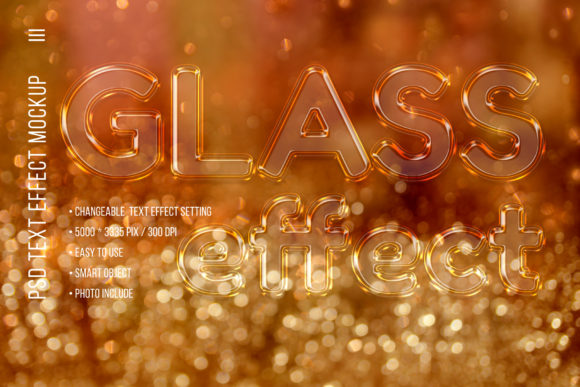
The visual personality of this mockup is defined by clarity, sophistication, and a dynamic sense of light. The effect mimics the way light interacts with a curved glass surface, creating soft highlights, subtle shadows, and a feeling of depth that makes the text appear to float off the background. Its style is versatile, equally at home in a festive Christmas card design as it is in a sleek corporate presentation. The overall appeal lies in its ability to instantly elevate a simple design into something premium and memorable.
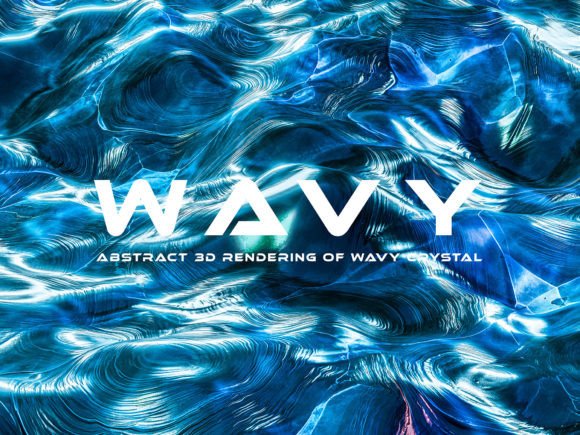
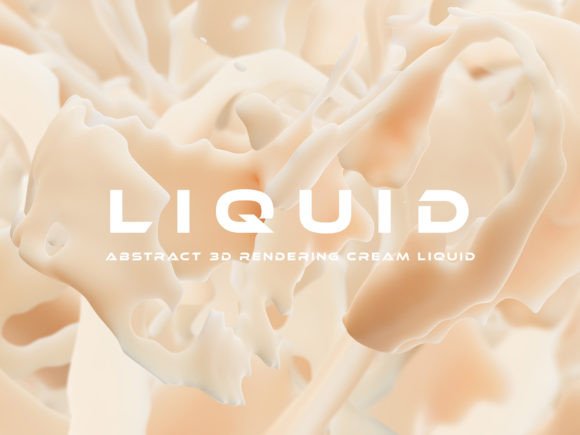
This premium design asset is built with practicality in mind. The core of the package is a custom editable PSD mockup that leverages Smart Objects. This means you simply double-click a layer, paste your design, save, and the glass effect is automatically and realistically applied. All elements within the file are on separate layers, giving you granular control over every aspect of the composition. You can adjust the effect's intensity, modify shadows, and, crucially, change the background to suit your project's color scheme. The mockup includes five motion bokeh backgrounds, which add a beautiful, professional-quality blurred light effect that enhances the glassy aesthetic. With a high resolution of 300 pixels per inch and generous dimensions of 5,000 x 3,335 pixels, the output is suitable for both digital screens and large-format print projects.
Practical Applications Across Creative Projects
The true value of a tool like the Glass Text Effect — Mockup is realized in its application. For designers and marketers, it solves the problem of creating eye-catching social media graphics that need to stop a user's scroll. A promotional post with glass-text headlines feels more premium and trustworthy. In web design, it can be used for hero section titles or special announcement banners, adding a layer of interactive-feeling depth to a flat screen.
For those in publishing and branding, the applications are just as compelling. Imagine using this effect for the title treatment on a magazine cover or for chapter headings in a luxury brand's lookbook. It instantly communicates a sense of quality. For packaging design, a glass effect on a product name can suggest purity, elegance, or a premium ingredient list. The mockup is also a fantastic resource for personal projects. Crafters and hobbyists can create stunning holiday cards, wedding invitations, and birthday greetings that look professionally designed. The included bokeh backgrounds are particularly useful for festive New Year and Christmas designs, creating an atmosphere of celebration and sparkle. Entrepreneurs and small business owners can use it to design a unique logo design for a special campaign or create elegant thank-you cards for customers.
Integrating the Effect into Your Design Workflow
Choosing to use a creative font effect like this one should be a deliberate decision based on your project's goals. It works best when you want to create a strong focal point. Ask yourself: does this design need to feel luxurious, modern, festive, or clean? If yes, the glass effect is a strong candidate. Its effectiveness is heavily influenced by the base text or shape you apply it to. A bold, simple sans serif font often works best, as the clean lines allow the glass texture and light effects to shine without visual clutter. A delicate script font could also be beautiful for invitations, but testing is key to ensure readability.
When evaluating project fit, consider the background. While the mockup includes changeable backgrounds, the effect will look most realistic on a solid or subtly textured surface that complements the color of your glass text. High contrast between the text and background is essential for maintaining a clear visual hierarchy. The glass effect inherently draws the eye, so use it for headlines or key phrases rather than long blocks of body text, where a standard serif font or sans serif font would be more appropriate for readability.
This Adobe Photoshop asset requires CS4 or higher, which is a common standard for most designers. The package includes a simple JPG user manual to guide you through the editing process, making it accessible even if you are not a Photoshop expert. While the mockup itself is a design asset, always ensure any fonts you use within the mockup for your final project are properly licensed for your intended use, whether for personal or commercial projects. By combining a well-chosen typeface with the powerful Glass Text Effect — Mockup, you can create a consistent and professional brand identity that resonates with your audience and makes your designs stand out. The ability to produce such a high-quality, specialized effect quickly is a significant advantage in any fast-paced creative workflow.